Loading...
Wan
Wan AI Video Generator
Generate realistic videos, images, and multi-style visuals with Alibaba's Wan AI
Wan AI is Alibaba's advanced AI image and video generation model. It creates high-quality visual content from text prompts or reference images, with stronger prompt understanding, diverse style templates, realistic human pose coordination, and believable multi-object interaction. Creators, marketing teams, and brands can use it to produce distinctive, dynamic, cinematic video clips faster.
Core Wan AI Capabilities
Wan AI goes beyond basic video generation, bringing stronger visual quality, broader style control, and more stable motion relationships between multiple subjects.
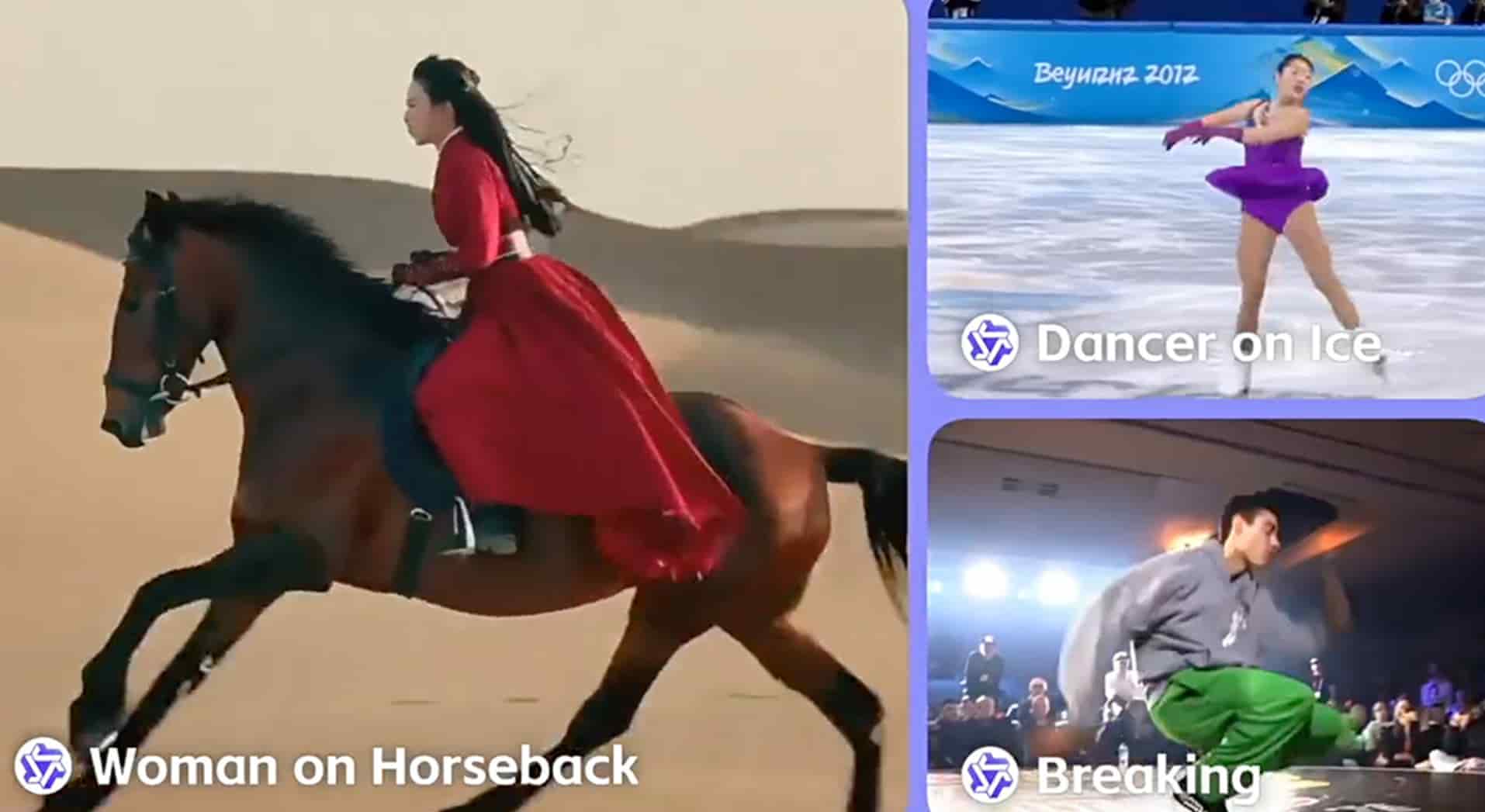
Superior Image and Video Generation
Wan AI generates high-quality video and image content from either text or image inputs. It improves visual precision and realism while following detailed instructions for natural human poses, coordinated action, and convincing motion paths.
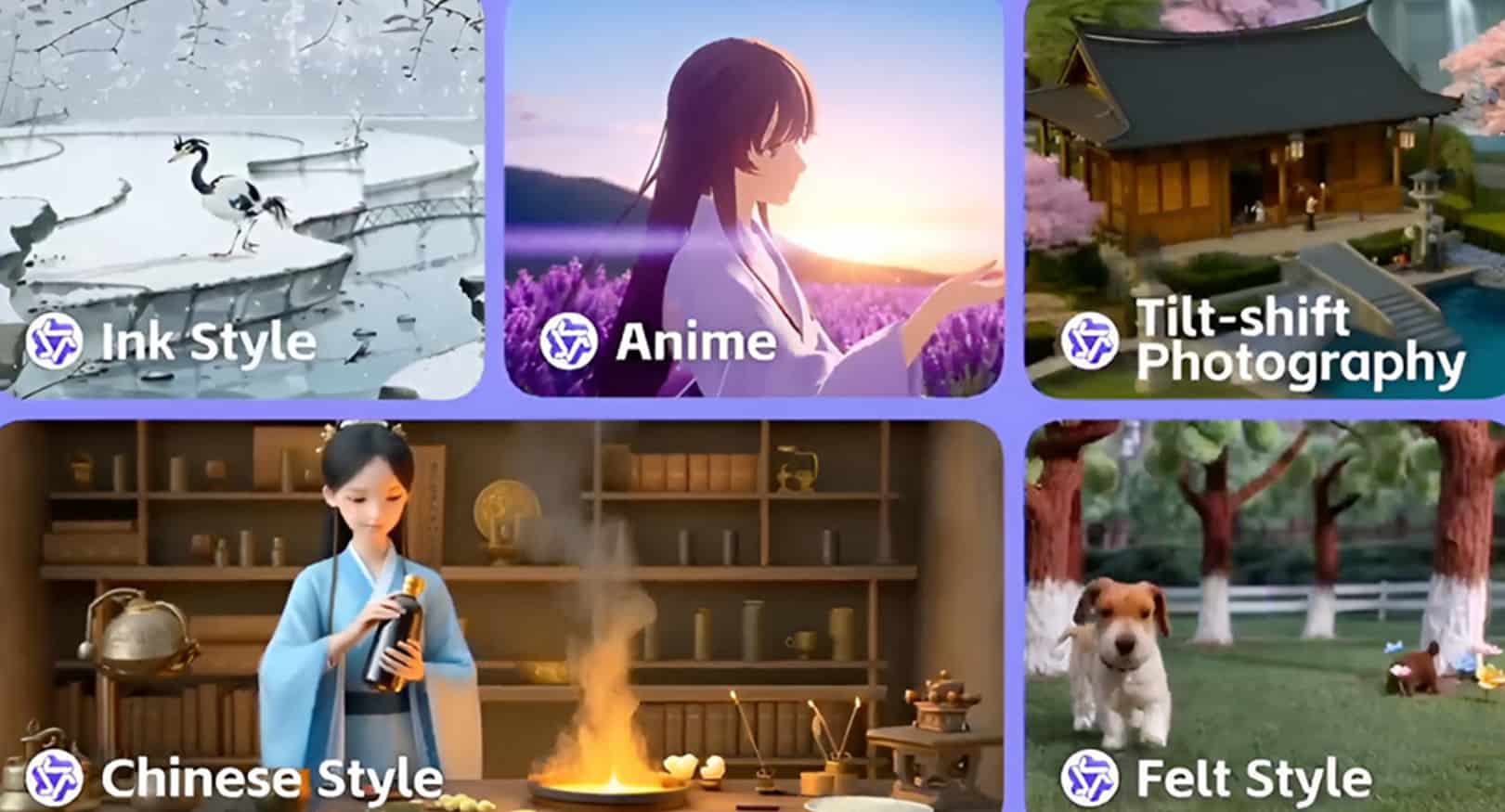
Diverse Visual Style Templates
Wan AI supports a broad range of visual styles, including cyberpunk, oil painting, realistic footage, anime, and cinematic scenes. Use prompts to refine character composition, expressions, and scene details so each result fits your creative direction.
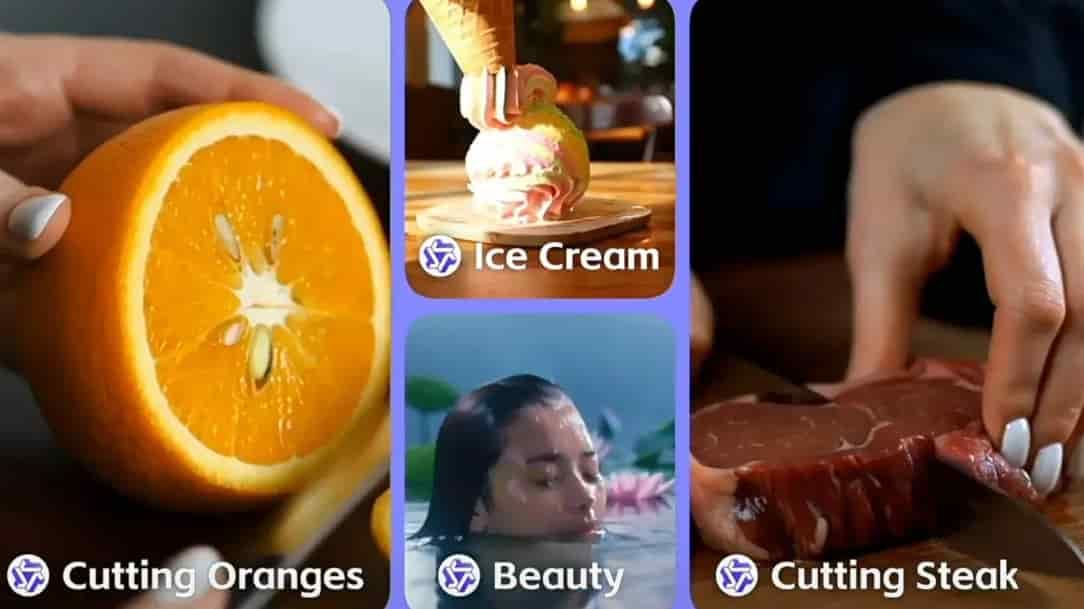
Realistic Multi-Object Interaction
Wan AI can generate more natural interactions between people, objects, and environments while separating motion paths across multiple subjects. It is useful for multi-person scenes, product showcases, and complex action shots that need realistic, dynamic video output.
How to Generate Videos with Wan AI
Move from idea to finished video in three steps: choose a Wan model, add your image or prompt, then download the generated video for publishing or further editing.
1
1. Choose the Right Wan Model
Choose Wan 2.5 or Wan 2.6 based on your task. Use Wan 2.5 for native audio and fast text-to-video or image-to-video generation; use Wan 2.6 for video reference, multi-shot storytelling, and longer narrative videos.
2
2. Enter an Image and Prompt
Upload a reference image or write a prompt directly. Describe the subject, action, scene, style, and camera direction, then adjust the video settings as needed.
3
3. Generate and Download the Video
Submit the task and let Wan AI render the result. Download the finished video for social posts, ad materials, pitch decks, or another round of prompt iteration.
FAQ
Learn what Wan AI can create, where it works best, and how to use it on AnyAIHub.
What is Wan AI?
Wan AI is Alibaba's family of video and image generation models. You can enter descriptive text or upload reference images to generate realistic, high-definition video content across many visual styles.
What makes Wan AI different?
Wan AI combines advanced video generation architecture with strong prompt understanding, helping create realistic visual scenes while keeping motion, style, multi-object interaction, and fine details more stable.
Can I use Wan AI for free?
You can start from the Wan AI page on AnyAIHub. Actual generation limits, credit costs, and available quota depend on your account status and the site's billing rules.
Is it safe to use the Wan AI video model?
When you use Wan AI on AnyAIHub, generation tasks follow the site's privacy, storage, and account permission rules. Avoid uploading sensitive identity information, unauthorized commercial assets, or content that violates platform rules.
How fast does Wan AI generate videos?
Generation speed depends on the model version, video length, resolution, queue status, and task complexity. Wan 2.5 is better for fast first drafts, while Wan 2.6 is better for multi-shot, video-reference, and longer narrative tasks.
Can I access Wan AI on mobile?
Yes. You can use AnyAIHub in a mobile, tablet, or desktop browser to generate videos with Wan AI. The mobile experience depends on browser performance and network conditions.
What can I use the Wan AI video model for?
Wan AI is well suited for promotional videos, product showcases, tutorials, cinematic shorts, animation clips, social media assets, and immersive 3D-style visual content.
Can I use other video models besides Wan AI?
Yes. AnyAIHub provides multiple AI video model entry points. You can choose between Wan, Kling, Veo, Seedance, and other models based on quality, motion realism, cost, speed, and input type.
Try the Wan AI Video Generator Online
Use Wan AI on AnyAIHub to turn text, images, and creative ideas into unique, realistic, attention-grabbing video content.
