Loading...
Gemini Omni
Gemini Omni AI Video Generator
Create, edit, and remix AI videos with prompts, image references, and video clips
Gemini Omni is Google’s family of multimodal video models for creating, editing, and remixing video. It brings text, images, video clips, and creative direction together in a single instruction, so you can start with one idea and progressively shape it into a more complete, coherent video.
Expected Gemini Omni Capabilities
These examples cover Gemini Omni’s core creative directions: unified multimodal input, natural-language editing, video remixing, targeted scene changes, consistent visual storytelling, knowledge-based scenes, precise audio, multiple camera angles, and custom digital avatars.
Native Multimodal Video Generation
Gemini Omni is not limited to a single input type. Use text to explain the concept, images to define the visual style, video clips to suggest motion, and audio to establish the overall tone. The model interprets these references as one coherent creative instruction to generate video that is more precise, expressive, and aligned with your vision.

Natural-Language Video Editing
Gemini Omni turns editing into a conversation. There is no need to adjust a timeline, cut scenes manually, or rebuild a clip from scratch. Simply describe what you want to change, and the model revises the video from your instruction, reducing a complex edit to one clear sentence.
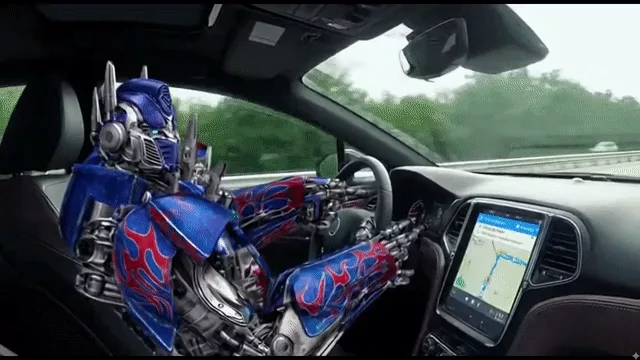
Video Remixing
With Gemini Omni, you can build on existing videos instead of starting over each time. Combine multiple clips into a new version while retaining their original structure or creative direction, helping ad iterations, product showcases, and lifestyle content move into the next round faster.

Targeted Scene Editing
Gemini Omni supports precise edits within an existing video. Instead of regenerating the entire scene, focus on the object or detail that needs improvement and correct small issues while preserving the original composition, movement, and overall style as closely as possible.
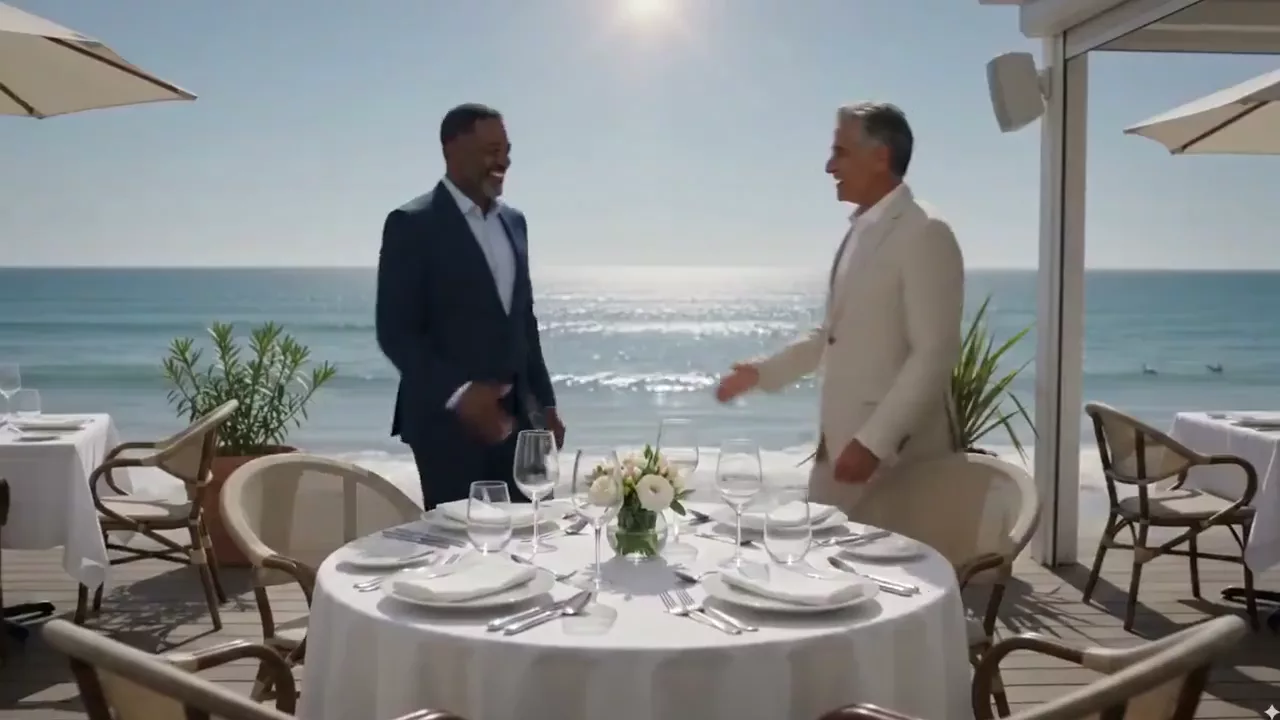
Consistent Visual Storytelling
Gemini Omni helps address one of the hardest challenges in AI video: keeping every scene consistent and meaningful. It can track character identity, scene details, visual style, and environmental elements so shots remain coherent. Improved continuity for text and formulas also makes it more practical for lessons, tutorials, product demonstrations, animation, and brand storytelling.
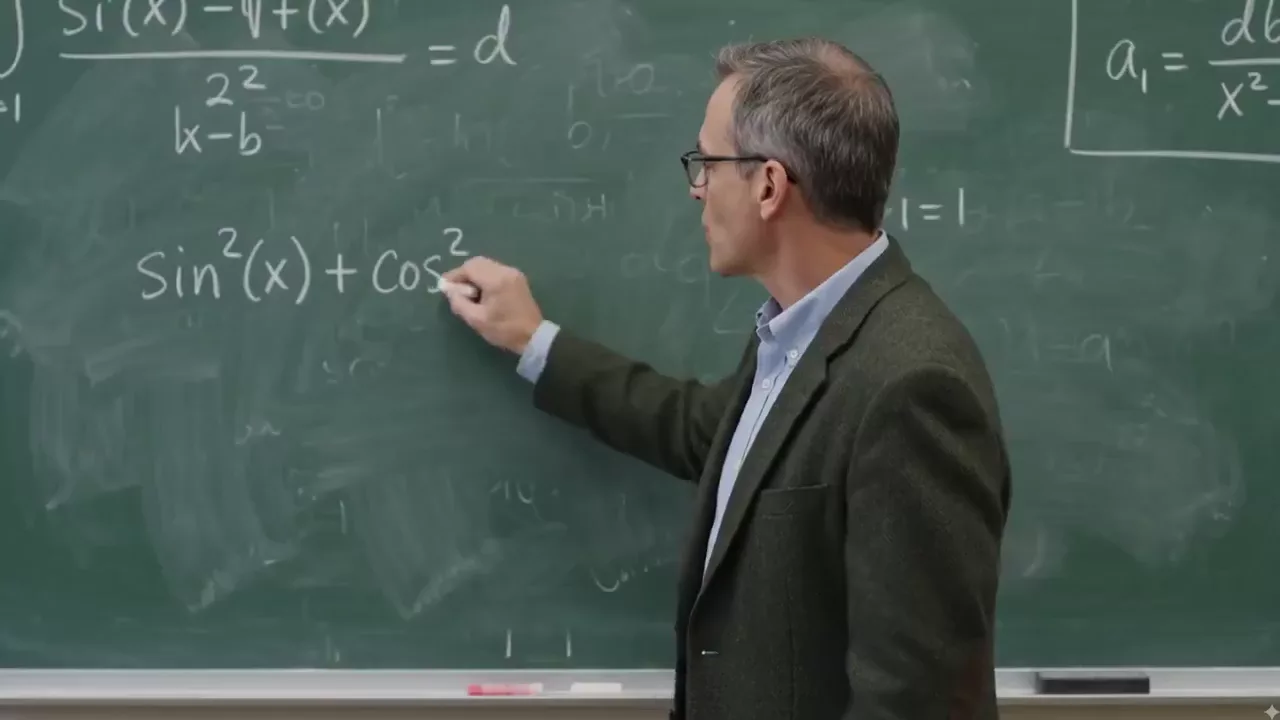
Knowledge-Based Scene Creation
Gemini Omni brings broader knowledge and contextual understanding into video generation, enabling scenes that are better informed, more clearly structured, and easier to understand. Historical content, educational explainers, and product demonstrations can all benefit from this more logically coherent approach.

Precise Audio Control
Gemini Omni can generate speech, ambience, and sound effects that match the visual intent, atmosphere, and rhythm. Clear dialogue, natural lip movement, spatial ambience, and subtle Foley details work together to support the story, turning a visual clip into a more complete audiovisual experience.

Varied Camera Angles
Gemini Omni supports coherent transitions between different camera angles. Whether you need a dramatic overhead shot, a ground-level view, or a smooth change from front to side, clearer visual language helps tell the story and enables instructional designers to create more effective training materials.

Custom Digital Avatar Generation
Your digital likeness remains under your control. Using a reference image, Gemini Omni can preserve the face, hairstyle, and overall identity while generating a personalized avatar with natural lip sync, facial expressions, and subtle movement. It is well suited to storytellers, educators, and VTubers, as well as creators who want to protect their real-world identity.

Who Is Gemini Omni For?
From advertising previsualization to educational content, Gemini Omni’s multimodal inputs and video-editing direction can support creative teams of different sizes.
Filmmakers and Advertising Agencies
Create prototypes, previsualizations, professional TV commercials, product films, and movie trailers.
Content Creators
Generate Reels, Shorts, TikTok videos, brand stories, and character-consistent social videos with rich audio.
Marketers
Streamline promotional videos and product visualization, then iterate on branded content faster through remixing and editing workflows.
Educators
Create explainers, training materials, and course videos that turn complex concepts into clear visual narratives.
Agencies and Studios
Build more complete professional workflows with multimodal references, precise creative control, and high-resolution output.
How to Use Gemini Omni on AnyAIHub
Turn reference assets into video by choosing the model, entering your creative direction, configuring the parameters, and generating the result for download.
1
1. Select Gemini Omni
Open the AnyAIHub video generator and select Gemini Omni from the model picker.
2
2. Add a Prompt and Reference Assets
Describe the video you want to generate or edit, then upload images or a video as references for the character, scene, style, or motion as needed. You can use up to 7 reference slots, with one video occupying 2 slots.
3
3. Set the Parameters and Download
Choose 16:9 or 9:16, a duration of 4/6/8/10 seconds, and 720p, 1080p, or 4K. Submit the generation, preview the result, and download your video.
FAQs
Learn about Gemini Omni’s model positioning, how it differs from Veo 3, supported inputs, output specifications, and AnyAIHub credit rules.
What is Gemini Omni?
Gemini Omni is Google’s multimodal AI video model for creating and editing video. It can understand prompts, images, and video references, then bring video remixing, consistent visual storytelling, and knowledge-based scene creation into a more coherent creative workflow.
How is Gemini Omni different from Veo 3?
Gemini Omni places greater emphasis on multimodal references, editing and remixing existing video, character and object consistency, cinematic camera control, and richer audio direction. Gemini Omni on AnyAIHub currently supports 4/6/8/10-second videos, 720p/1080p/4K output, and 16:9/9:16 aspect ratios.
Can I use Gemini Omni for free on AnyAIHub?
AnyAIHub uses credits to submit generation tasks. Whether you can try Gemini Omni for free depends on the credits currently available in your account and active site promotions. The generator shows the credits required for your selected parameters before submission; free-trial offers from third-party platforms do not apply to AnyAIHub.
Is Gemini Omni suitable for beginners?
Yes. You can start with a natural-language prompt or upload an image or video reference, without first learning timeline editing. Complex creations with multiple references take some practice, but the basic workflow is simply to choose the model, describe your intent, set the parameters, and generate.
How does Gemini Omni’s precise audio feature work?
Your prompt can specify dialogue, lip sync, ambience, sound effects, and the overall mood. The model attempts to align these sounds with the on-screen action and pacing; the final result still depends on the prompt, reference assets, and upstream model output.
What inputs does Gemini Omni support?
The current AnyAIHub integration supports prompts, up to 7 reference slots filled with images, or a combination of 1 video and images in the remaining slots. One video occupies 2 slots and one image occupies 1 slot, for a total maximum of 7.
What video lengths and resolutions does Gemini Omni support?
When no video reference is provided, you can currently choose 4, 6, 8, or 10 seconds at 720p, 1080p, or 4K, with 16:9 and 9:16 aspect ratios. When you upload a video reference, the model workflow determines the output duration.
How are Gemini Omni credits calculated?
Video-generation credits are currently calculated by resolution and duration: at 720p, 4/6/8/10 seconds cost 80/130/180/230 credits; at 1080p, they cost 90/140/190/240 credits; and at 4K, they cost 250/400/450/500 credits. The price shown in the generator at submission is authoritative.
Try Gemini Omni Now to Create, Edit, and Remix AI Video
Start with a prompt or a set of reference assets, and use AnyAIHub to turn your multimodal idea into video with native audio and output up to 4K.
