Loading...
Grok Imagine Image 2.0
Grok Imagine Image 2.0 Image Generator
Stronger prompt understanding, typography, and visual control
Grok Imagine Image 2.0 is xAI's next-generation image model. KIE's public model notes emphasize stronger prompt understanding, more stable text rendering, and finer visual control. In the workflow currently available on AnyAIHub, you can generate images from a text prompt and choose 1:1, 2:3, 3:2, 16:9, or 9:16.
Core capabilities of Grok Imagine Image 2.0
From prompt understanding to aspect-ratio choice, build a more controllable text-to-image flow
The notes below follow KIE's capability description and are limited to the text-to-image interface currently verified on AnyAIHub.
Understand complex natural-language prompts
A single prompt can describe the subject, setting, camera, lighting, materials, color, and composition at the same time. The more specific the visual requirements, the easier it is to get a clearly directed result.
Better suited to visuals that need text and layout
KIE summarizes Grok Imagine Image 2.0's improvements as better text rendering and layout. You can specify titles, labels, information hierarchy, and placement in the prompt, then check whether the result meets the delivery requirements.
Control the final composition with aspect ratio
AnyAIHub currently supports five aspect ratios: 1:1, 2:3, 3:2, 16:9, and 9:16. Choose the ratio before generating so social posts, posters, banners, or vertical assets start with the right frame.
Useful for marketing, commerce, and creative visuals
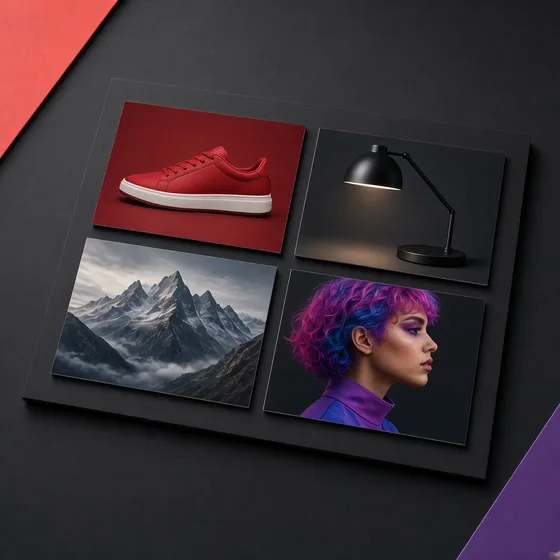
Typical directions listed on the KIE page include marketing posters, product images, characters and worlds, infographics, and educational visuals. AnyAIHub currently provides a text-to-image entry, so you can validate these directions with a prompt first.
Clear, predictable credit cost
Each Grok Imagine Image 2.0 image costs 12 credits. You can estimate quantity and budget before submitting, without mixing unopened resolution or editing parameters into the price.
Create with Grok Image 2.0 in three steps
Choose an aspect ratio, describe the visual clearly, then submit a text-to-image task.
1
Select Grok Imagine Image 2.0
Open the AI image workspace and choose Grok Imagine Image 2.0 in the model selector.
2
Write a specific visual prompt
Describe the subject, scene, composition, lighting, color, and any text or layout relationships that should appear.
3
Choose an aspect ratio and generate
Pick one of the five aspect ratios, confirm the 12-credit cost per image, and submit the task.
Notes on capabilities, aspect ratios, and credits
Answers follow the current AnyAIHub integration, not unverified upstream features.
What is Grok Imagine Image 2.0?
Grok Imagine Image 2.0 is an xAI image generation model. KIE's public page positions it as an image model that emphasizes prompt understanding, text rendering, layout, and visual control.
Which capabilities are available on AnyAIHub today?
The verified and available workflow is text-to-image: enter a text prompt, choose an aspect ratio, and generate an image.
Which aspect ratios are supported?
Five aspect ratios are supported: 1:1, 2:3, 3:2, 16:9, and 9:16.
How many credits does each image cost?
Each Grok Imagine Image 2.0 image costs 12 credits.
Can I upload a reference image or edit an existing image now?
The KIE page also shows image edit, segment map, and segment edit as capability directions, but those interfaces are not connected to the current AnyAIHub workflow, so this page does not provide reference uploads or local editing controls.
Can I set resolution, quality, or seed?
This version does not expose resolution, quality, or seed controls. The page only offers the verified prompt and aspect-ratio parameters.
Turn a prompt into an image with Grok Imagine Image 2.0
Start from a clear subject and composition to generate marketing, product, or creative visuals.