Logo
  • Home
  • Effects
  • Tools
AI Generations
  • AI Video
  • AI Image
Models
  • SoraSora 2
    HotNew
  • GoogleVeo 3
    Hot
  • Nano Banana ProNano Banana Pro
    New
  • Nano Banana 2
    HotNew
  • Nano Banana
  • DoubaoSeedream
  • Z-Image Turbo
  • GrokGrok Imagine
  • OpenAIGPT Image
  • Upgrade Plan
  1. Home
  2. AI Image
  3. Face Swap
Logo

Create Professional-Grade Works at Ultra-Low Cost with AnyAI Hub Integrated AI Models Workflow

Email
Models
  • Sora 2
  • Veo 3
  • Nano Banana
  • Seedream
  • GPT Image
Effects
  • Ghibli Generator
  • Action Figure Generator
  • Face Swap
  • Image Upscaler
Company
  • About
  • Contact
  • Pricing
Legal
  • Cookie Policy
  • Privacy Policy
  • Terms of Service
  • Refund Policy
© 2026 AnyAIHub All Rights Reserved.

Sample Images

Swap Faces Online with Two Photos

AnyAIHub supports a two-image workflow: upload a target photo and a source face photo, then let AI replace the face naturally while preserving expression, pose, and lighting details. No complex editing required.
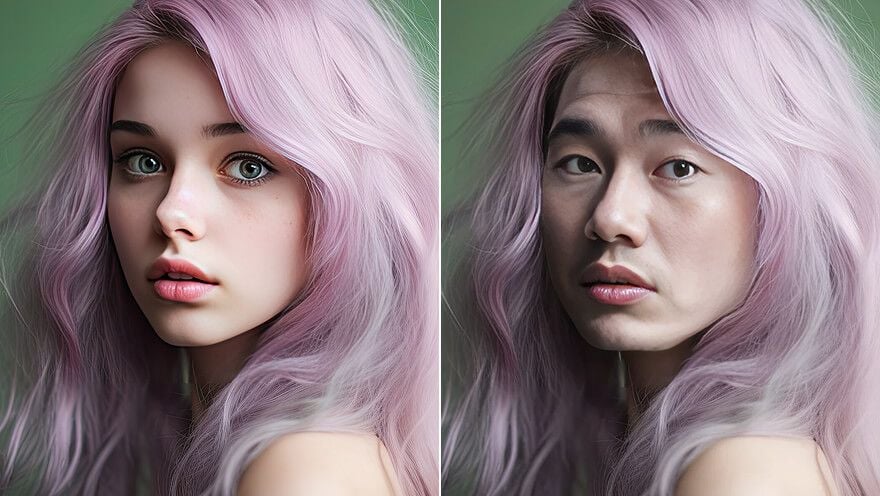
Swap Faces Online with Two Photos

Photorealistic AI Photo Face Swap

AI photo face swap with two-image upload, automatic face blending, and HD output in seconds. Create realistic results for social media content, creative design, and marketing assets.

Realistic and Natural Face Blending

AI aligns face shape, skin tone, lighting, and fine details so transitions look smoother and results feel closer to real photography.
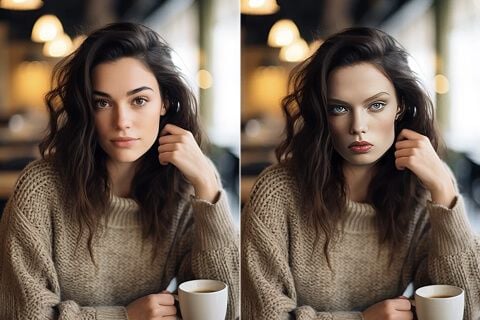
Realistic and Natural Face Blending

Made for Social Media Content

Create engaging meme images, profile visuals, short-video assets, and trend-based content for TikTok, Instagram, and other social platforms.
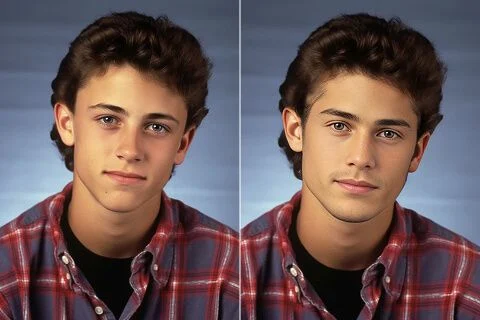
Made for Social Media Content

Digital Art and Creative Design Helper

Great for character concepts, visual experiments, and promotional mockups, helping creators validate ideas faster with fewer manual steps.
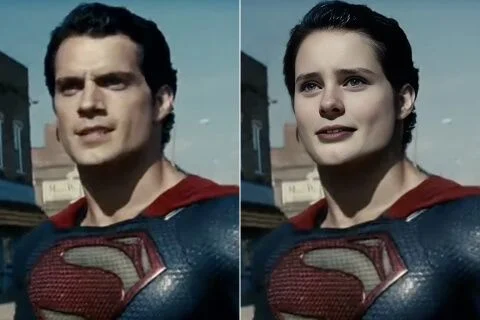
Digital Art and Creative Design Helper

Fast HD Results in Seconds

Generate high-quality face swap outputs quickly while reducing traditional manual retouching costs and improving batch content efficiency.
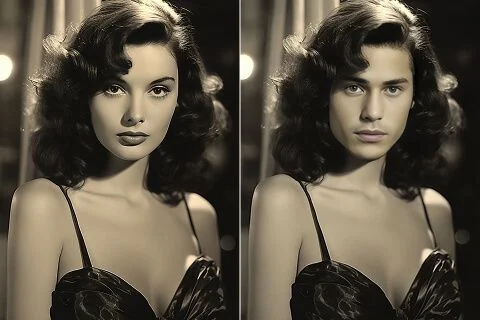
Fast HD Results in Seconds

How to Swap Faces with AI

A simple 3-step workflow: upload photos, let AI process, then download your result.

1

Upload Two Photos

Use the first image as the target photo and the second image as the source face. Clear, front-facing images usually produce better results.

2

AI Face Swap Processing

Our model detects key facial landmarks and performs automated blending without manual masking or advanced editing.

3

Preview and Download

Get your face swap result in seconds, preview the output, and download it for your creative use cases.

Common Questions

Everything you may want to know about AI photo face swapping.

Clear, front-facing photos with minimal occlusion work best. Similar face angle and lighting between two photos usually improves realism.

Low-resolution images, heavy occlusion, large pose differences, or major lighting mismatch can reduce blending quality. Try higher-quality source photos.

JPG, PNG, and WEBP are supported. For best quality, upload high-resolution original photos whenever possible.

Most jobs complete in a few seconds to around a dozen seconds, depending on image size and current queue load.

You can use generated results, but you should ensure you have legal rights to the original photos and comply with privacy, portrait, and copyright laws.

It is useful for social content creation, entertainment edits, avatar design, campaign mockups, and fast visual ideation.

Try AI Photo Face Swap Now

Upload two images and generate realistic face swap results in one click to speed up your creative workflow.
Your browser does not support the video tag.