New

Limited Time Sale: Save up to 40% on annual AI creation plans

View plans
  • Home
  • Effects
  • Tools
AI Generations
  • AI Video
  • AI Image
Models
  • Seedance 2.5
    HotNew
  • Seedance 2.0
    Hot
  • MiniMaxMiniMax H3
    New
  • GoogleVeo 3.1 Premium
    Hot
  • OpenAIGPT Image 2
    New
  • Nano Banana 2
  • Nano Banana ProNano Banana Pro
    Hot
  • Seedream 5.0 Pro
  • GrokGrok Imagine Image 2.0
  • Z-Image Turbo
  • Upgrade Plan
    40% OFF

Loading...

Create Professional-Grade Works at Ultra-Low Cost with AnyAI Hub Integrated AI Models Workflow

Email
AI Image
  • GPT Image 2
  • GPT Image 1.5
  • GPT Image 1
  • Nano Banana 2
  • Seedream 5.0 Lite
  • Seedream 5.0 Pro
  • Seedream 4.5
  • Seedream 4.0
  • Z-Image Turbo
  • Grok Imagine Image
  • Grok Imagine Image 2.0
  • Nano Banana Pro
  • Nano Banana
AI Video
  • Gemini Omni
  • Happyhorse 1.1
  • Seedance 2.0
  • Veo 3.1 Premium
  • Seedance 2.0 Fast
  • Veo 3.1 Fast
  • Seedance 1.5 Pro
  • Veo 3.1 Lite
  • Grok Imagine Video
  • Kling 3.0
  • Wan 3.0
Effects
  • Ghibli Generator
  • Action Figure Generator
  • Face Swap
  • Image Upscaler
Company
  • Blog
  • About
  • Contact
  • Pricing
Legal
  • Cookie Policy
  • Privacy Policy
  • Terms of Service
  • Refund Policy
🇸🇦العربية🇩🇪Deutsch🇺🇸English🇪🇸Español🇫🇷Français🇮🇹Italiano🇯🇵日本語🇰🇷한국어🇳🇱Nederlands🇵🇹Português🇹🇷Türkçe🇨🇳简体中文
Featured on Twelve ToolsFeatured on Wired BusinessMonitor your Domain Rating with FrogDRAnyAIHub - Featured on Startup FameListed on Turbo0Dang.aiSubmit AI ToolsFeatured on LaunchIgniterFeatured on AIWgetPowered by Startup FastFeatured on Open-LaunchLaunching Soon on NextGen ToolsFeatured on NewTool.siteFeatured on First LookFeatured on Findly.toolsFeatured on HuntifyAIFeatured on AgentWork.ToolsFeatured on ShipstryFeatured on Mydirs
© 2026 AnyAIHub All Rights Reserved.
  1. Home
  2. AI Image
  3. Grok Imagine

Grok Imagine

Sample Images

Explore Different Grok Imagine Versions

Prompt-faithful surreal visual generation

Grok ImagineGrok Imagine Image 2.0

Grok Image AI on AnyAIHub

A focused home for the Grok Imagine image family

Compare the original Grok Imagine image workflow with Grok Imagine Image 2.0 in one place. Image 2.0 is currently available for text-to-image generation through AnyAIHub, with five aspect ratios and a predictable 12-credit cost per image.
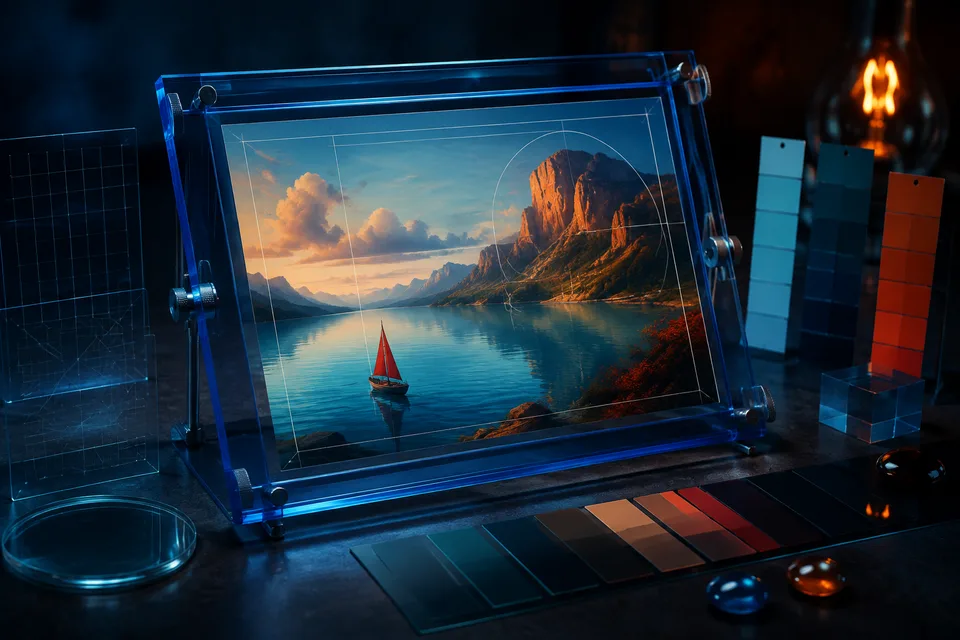
Grok Image AI on AnyAIHub

What you can do with Grok Image

Prompt understanding, composition, and practical output controls

The family page keeps model claims tied to the controls currently available in AnyAIHub.

Generate from a detailed prompt

Describe the subject, scene, mood, composition, and visual style. Grok Image 2.0 turns the prompt into a complete image without requiring a reference upload.

Choose the right composition

Select 1:1, 2:3, 3:2, 16:9, or 9:16 before submitting so the result starts closer to the intended social, editorial, or landscape format.

Explore visual direction

Use precise language for layout, lighting, color, typography, and subject relationships when the image needs to communicate a specific creative direction.

Compare Grok image versions

Move between the original Grok Imagine image model and Image 2.0 from the family navigator while keeping each version's available controls explicit.

Three steps to a Grok image

Choose a version, describe the visual result, and submit the task.

1

Choose a Grok image model

Open the Grok image family and select the version that fits your workflow.

2

Describe the image

Write the subject, setting, composition, lighting, and style in one prompt.

3

Generate and download

Pick an available aspect ratio, submit the task, and download the completed image.

Questions about the Grok image family

The answers below describe AnyAIHub's current integration rather than unverified upstream features.

Which Grok image models are available?

AnyAIHub currently lists Grok Imagine Image and Grok Imagine Image 2.0 as separate image models in the same family.

What does Grok Imagine Image 2.0 support here?

The current integration supports text-to-image generation with five aspect ratios: 1:1, 2:3, 3:2, 16:9, and 9:16.

How much does Grok Image 2.0 cost?

Each generated image costs 12 AnyAIHub credits.

Can I upload a reference image or edit an original image now?

The current Grok Image 2.0 workflow on this site is text-to-image only. Reference uploads, image-to-image, and local editing controls are not available.

Create your next visual with Grok Image

Start with a prompt and choose the composition that matches your final use.