Loading...
Veo
Explore Veo AI Model Versions
Understand the positioning of all three Veo 3.1 versions first, then open the model page that best fits your current creative stage, budget, and output goal: Veo 3.1 is the flagship quality tier, Fast is the best-value tier, and Lite is built for high-volume batch generation.
Google Veo AI Video Generator
Create AI Videos from Text or Images on AnyAIHub
Google Veo is an AI video model family from Google DeepMind, designed for stronger prompt understanding, higher-quality visuals, and flexible text-to-video and image-to-video workflows. On AnyAIHub, you can explore Veo model versions and choose the right path for short videos, ad creatives, visual concepts, product motion, and brand storytelling.
Core Veo AI Capabilities
This page works best as an overview of the Veo model family on AnyAIHub. The strongest positioning centers on high-quality AI video generation, better prompt understanding, and practical image-to-video workflows.
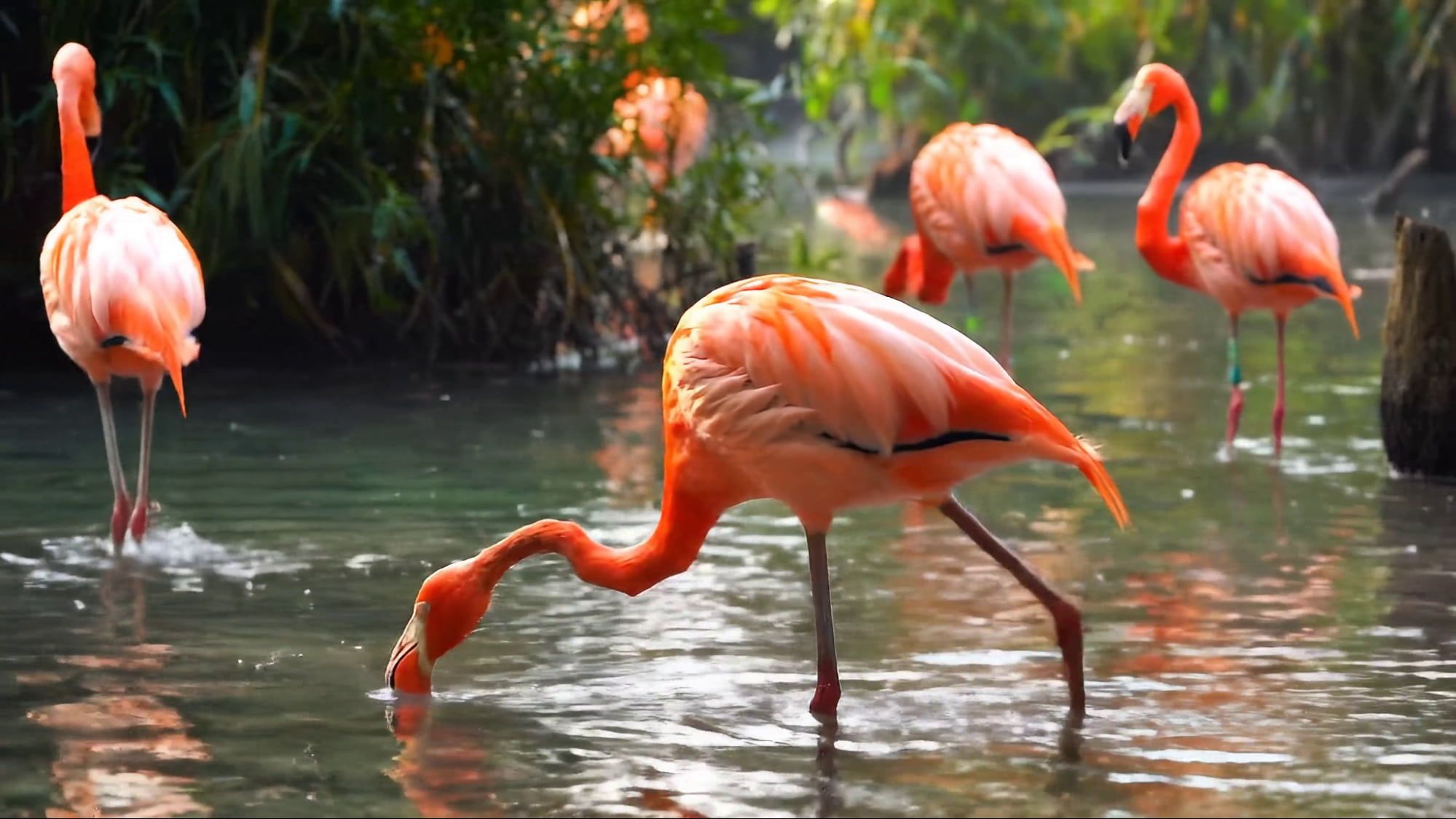
High-Quality Video Generation
Veo is built for higher-quality video output, making it a better fit for projects that need stronger visual polish, better shot presentation, and a more finished overall result. Whether you are creating brand films, social-first concepts, or product videos, output quality is one of the clearest reasons to use Veo on AnyAIHub.
Stronger Text Prompt Understanding
Veo handles natural language prompts more effectively, which makes it more stable for complex scene descriptions, camera intent, action sequences, and emotional tone. For creators, that means you do not need rigid parameter-heavy prompts to get video results that feel closer to your original intent.
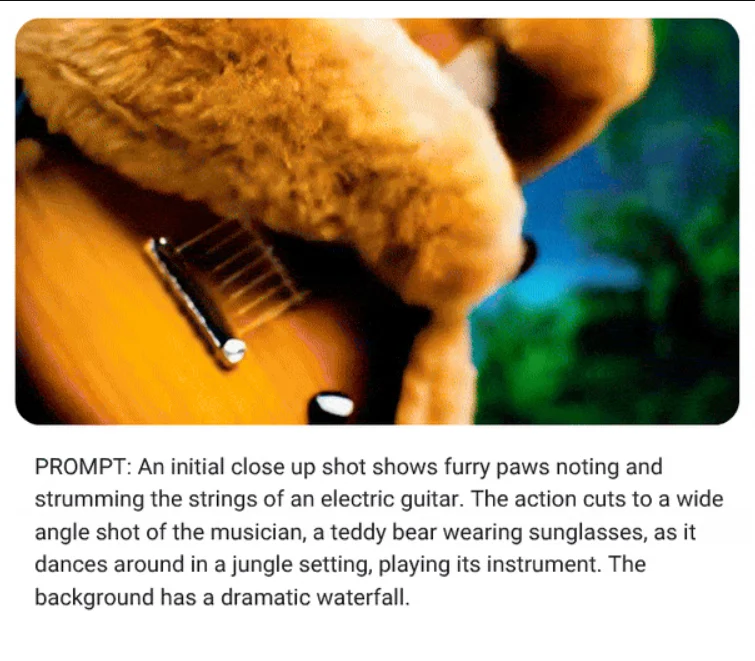
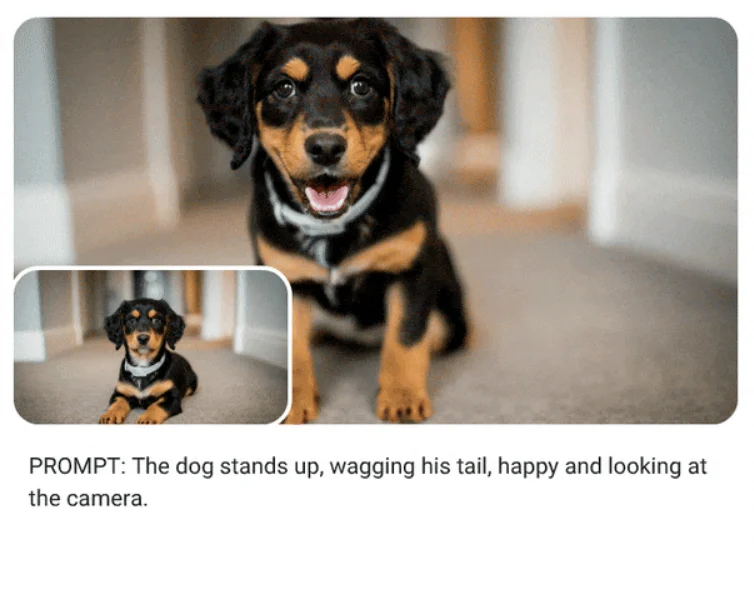
Image-to-Video Generation
Veo also fits image-to-video workflows well. You can start from a character image, a product photo, or a campaign key visual and turn a static asset into motion. For projects that need animated brand assets, product video variations, or stronger visual consistency, this is often the more practical workflow on AnyAIHub.
How to Use Veo AI
Choose the right Veo model first, then enter a prompt or reference image, and finally generate and review the result. For most users on AnyAIHub, choosing the right version first matters more than piling on effect-heavy prompt descriptions too early.
1
1. Choose the Right Veo Model Version
Pick Lite, Fast, or the flagship quality tier based on your goal. Lite is better for high-volume batch generation and lower-cost testing, Fast is better when you want strong value with solid visual quality for rapid iteration, and Veo 3.1 is the better match for final delivery and highest-quality output.
2
2. Enter a Prompt or Upload a Reference Image
You can write a prompt directly to generate a video, or upload a reference image in an image-to-video workflow. It usually helps to describe the scene, subject, action, camera direction, and overall mood clearly instead of relying only on abstract style words.
3
3. Generate and Review the Video
After generation, review whether the camera intent, subject behavior, and overall pacing are working first, then decide whether to move to a higher-quality version or refine the prompt further. Validating direction before chasing final polish is usually the better production flow.
Google Veo guidance for AnyAIHub users
These FAQs help users understand what Google Veo is, how it compares with other AI video models, which workflows it supports, and how to choose the right Veo version on AnyAIHub.
What is Veo AI?
Veo is Google's AI video model family from Google DeepMind, first introduced publicly in May 2024. Its core positioning is stronger visual quality, better prompt understanding, and better image-to-video capability to help users generate videos more efficiently from text or images.
How is Veo AI different from other video models?
Compared with many video models that focus mainly on one-pass generation speed, Veo stands out more for higher-quality visuals, natural language understanding, and output that feels closer to real camera logic. That makes it more attractive for projects that care about polish, consistency, and finer prompt response.
Does Veo AI support both text-to-video and image-to-video?
Yes. Veo supports both direct text-to-video generation and image-to-video workflows starting from a still image. The exact input methods available depend on the Veo page and form capabilities currently exposed on AnyAIHub.
Why is this Veo page written as a model overview instead of a Veo 3-only page?
Because this page works better as an entry point to the Veo model family. It helps users understand how different Veo versions are positioned first, then guides them to more specific Veo subpages on AnyAIHub. That is clearer than trying to compress every version and capability into one overloaded page.
What kinds of videos is Veo AI best suited for?
It fits short-form creative work, ad concept films, brand visual content, product videos, image-driven motion pieces, and storyboard previews. It is especially useful when a project cares about finished visual quality but still wants AI to speed up exploration.
How long and how high quality can Veo AI output be?
Based on Google's public positioning, Veo focuses on high-quality video generation and HD output. The actual duration, resolution, and feature access vary by platform, integration path, and model version, so your final expectations should follow the specific Veo page and form you are using on AnyAIHub.
When should I choose Lite, Fast, or a higher-quality version?
Choose Lite when you want the most cost-efficient option for high-volume batch generation, early concept validation, and broad draft screening. Choose Fast when you want the best-value option for rapid iteration and version testing while still keeping visual quality strong. Choose Veo 3.1 when the project has moved into formal delivery and you want the flagship model with the highest visual quality. Picking the right tier first is usually more effective than overloading the prompt.
What is the best way to write Veo prompts?
A useful structure is scene + subject + action + camera + mood. Instead of relying only on abstract style keywords, describe the actual subject, motion, shot direction, and emotional tone clearly. That usually leads to more stable results on AnyAIHub.
Try Veo AI for Free on AnyAIHub
Compare Veo model versions first, then choose the workflow that fits your current project stage. On AnyAIHub, clearer model positioning and more precise prompting usually lead to better results than stacking generic marketing claims.